In GTA 6, icons without labels tell you a lot about your character, the police and your vehicles. Here is what they mean and how to cut down on screen clutter.
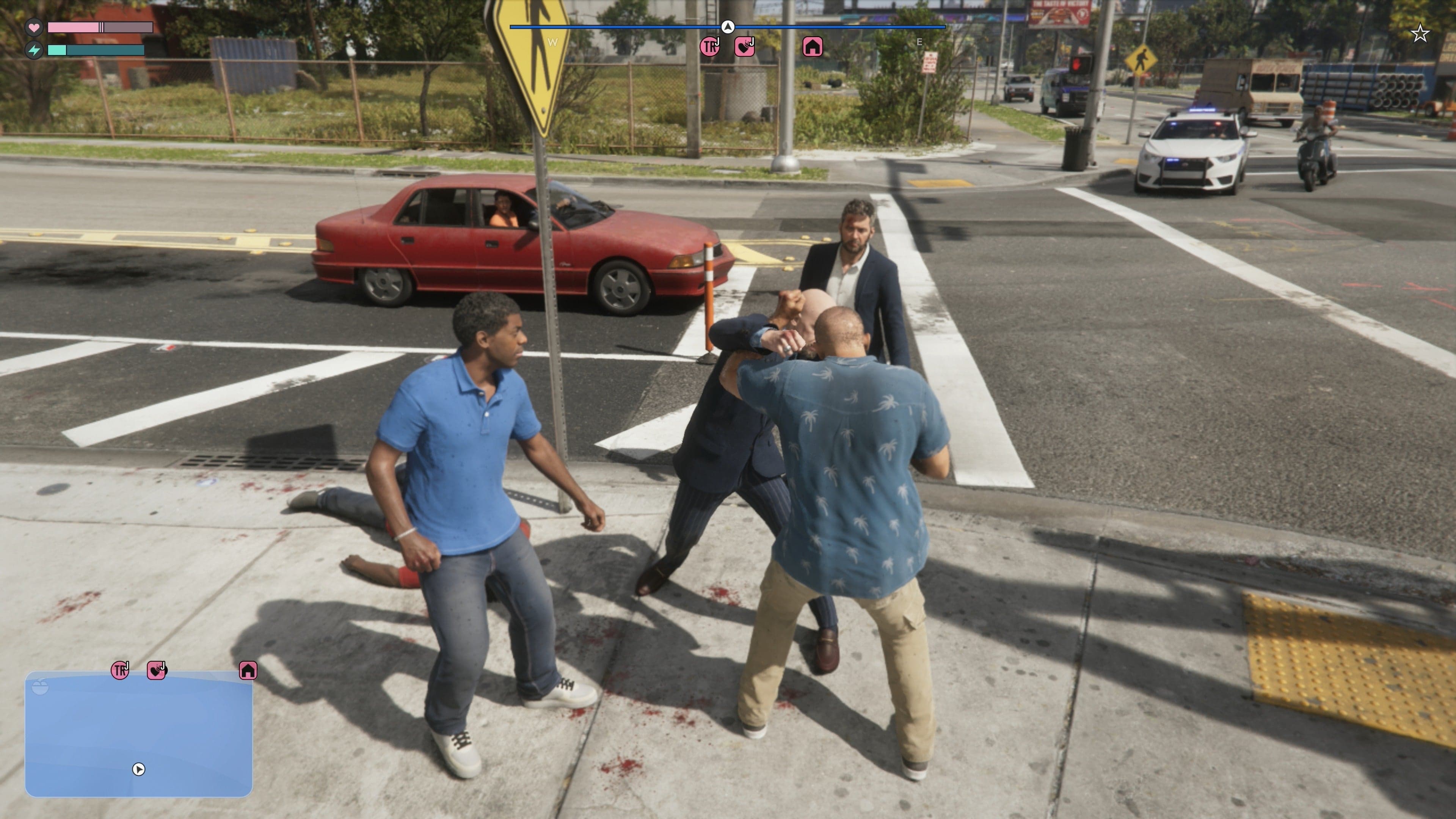
| What you see | Where it's explained |
|---|---|
| Mini-map, money, ammo | Where everything is |
| Heart, lightning bolt, eye, hit markers | Character bars |
| Stars and the red icons under them | Stars and descriptions |
| Key, shield, tracker, fuel | Vehicle icons |
| Relationship heart and criminal profile | Profile and relationship |
| House, gun and fuel pump on the map | Map icons |
| The interface is in the way | How to hide the HUD |
What you need first
You don't need to unlock anything: icons appear as you play, and interface settings are available from the pause menu.
Important: Irredeemable changes a character's criminal profile for good. If you're about to go on a rampage, save your game to a separate slot first.
Where everything is on screen
- Top left: character bars.
- Top right: ammo and wanted stars, with suspect descriptions under the stars.
- Bottom left: mini-map.
Some of this only appears when it matters. Press to briefly show the mini-map, money and your bars.
Money has two icons: a purple letter "b" is your BuckMe account, and a green wallet is cash.
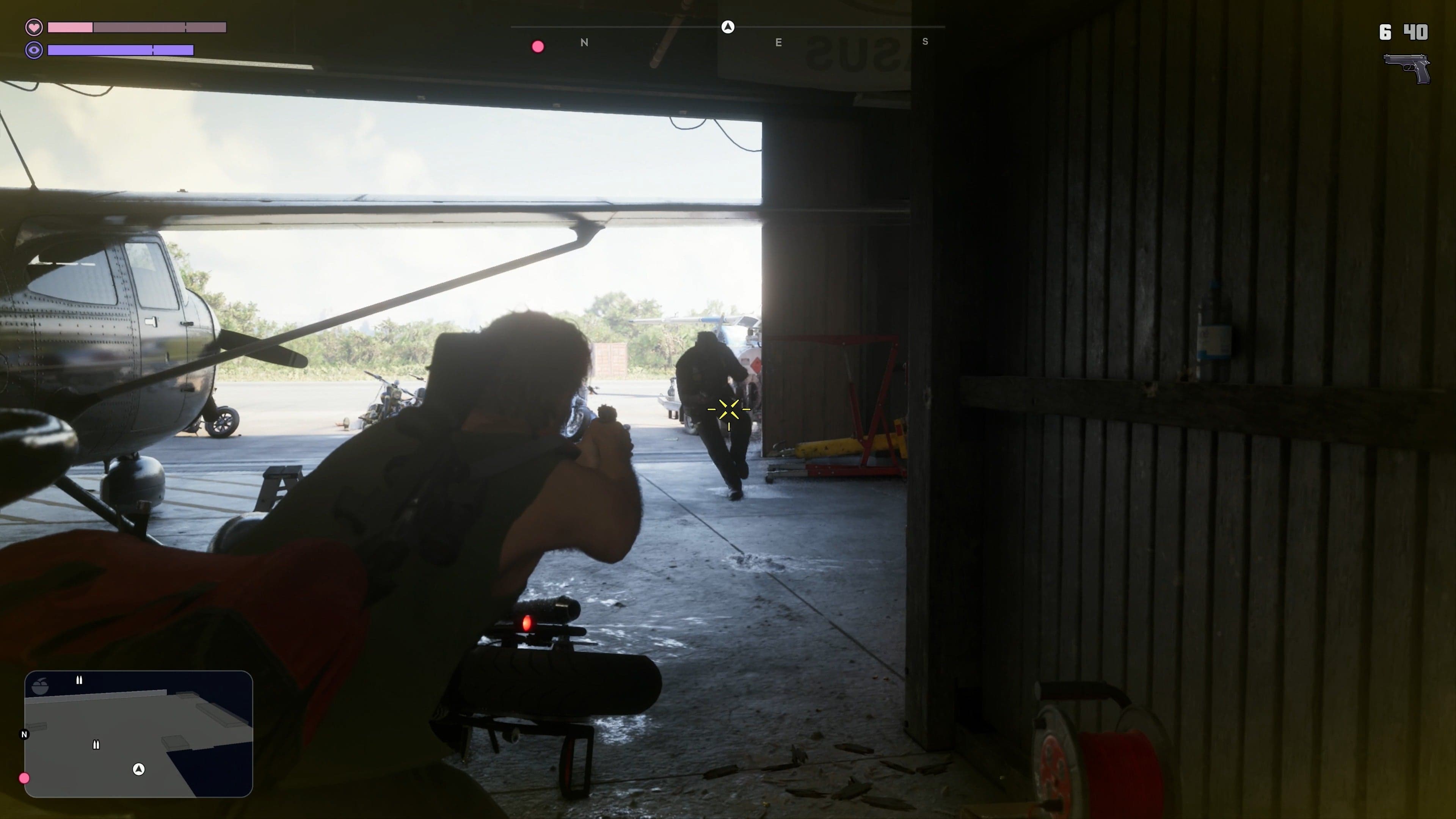
Character bars
- Pink heart: health. If the bar empties, your character dies.
- Turquoise lightning bolt: stamina, used up by running, swimming and cycling.
- Purple eye: Focus.
- O2 icon: the air left in your scuba tank, with the bar showing in the top left.
- Lungs icon: your breath while diving without a tank.
Food and drinks temporarily extend the health bar, while an adrenaline shot briefly boosts all three stats and reduces the damage you take.
Combat hit markers
- White: the enemy is wounded.
- Yellow: knocked out but alive.
- Red: dead.
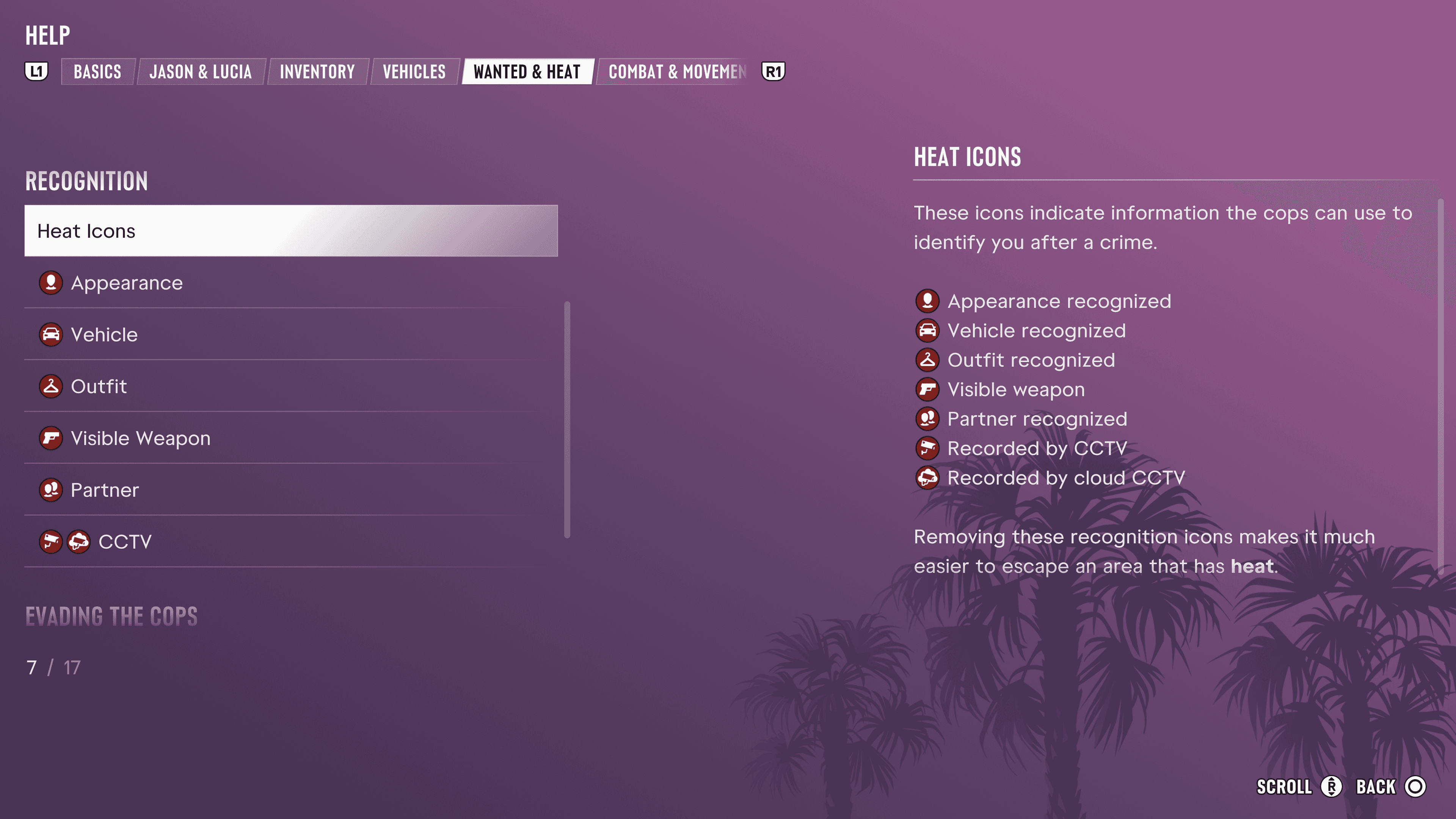
Stars and suspect descriptions
- White outline: police know about a crime but don't know it was you.
- White stars: they can see you and are chasing you.
- Flashing white stars: they've lost sight of you and are searching.
- Red stars: they've lost you but are looking for someone who matches your description.
- Red outline: police stay on heightened alert in the area, but they don't have your description.
The red icons under the stars show what the police know: your appearance, clothing, vehicle, the weapon in your hands, your partner or camera footage. A cloud camera icon means footage that can't be erased.
To find out how to clear descriptions and lose the police, see the wanted level guide.
Vehicle icons
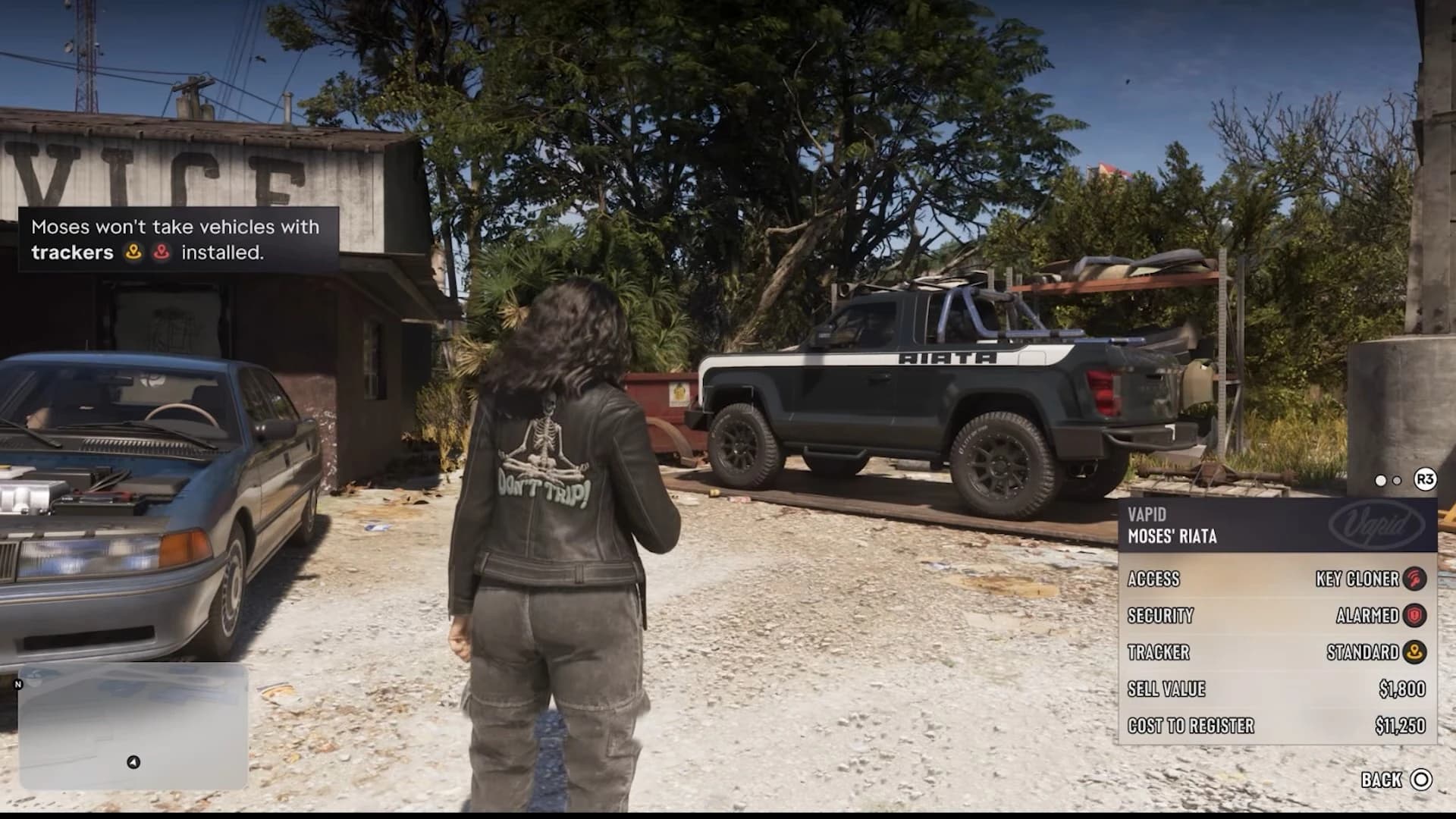
Scan a vehicle with the WAiNK app and its card shows how hard it is to steal.
- LOCKED with a red key: the vehicle is locked.
- KEY CLONER: you need the Key Cloner.
- ALARMED with a red shield: it has an alarm.
- STANDARD with a yellow icon: a standard tracker, which blocks modifications until you register the car.
- ADVANCED with a red icon: an advanced tracker, which lets the police track you.
- NONE: no tracker.
The same card also shows the sale price and the registration cost.
Engine and fuel
While driving, press : round engine and fuel icons appear next to the vehicle name. A green icon means everything is fine.
- The fuel icon turns yellow and then red as the tank runs down.
- Yellow-orange engine: moderate damage.
- Red engine: serious damage.
Profile and relationship
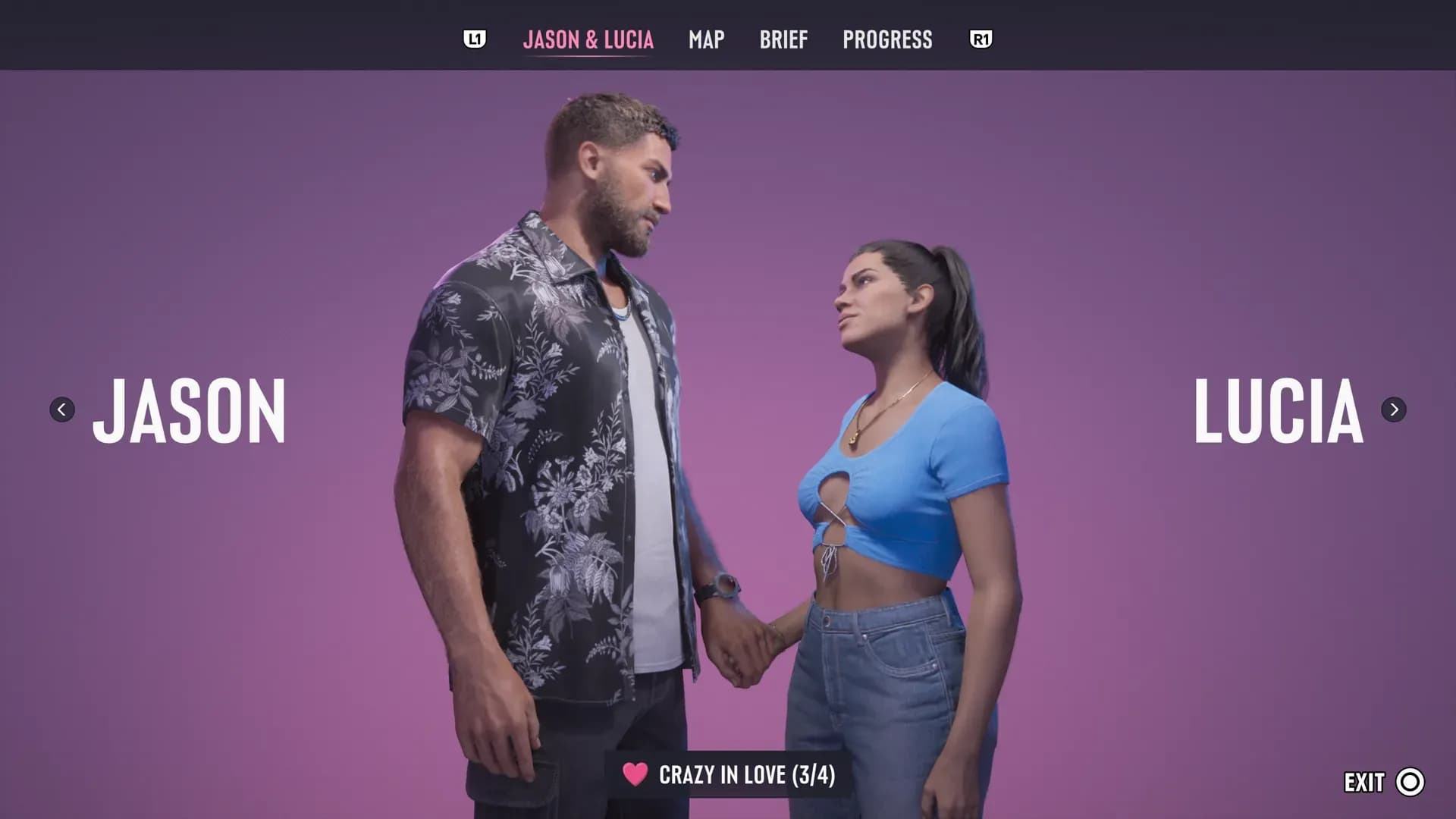
The relationship level between Jason and Lucia is shown as a named heart in the Jason & Lucia menu. For a quick look at it and your criminal profile, hold .
- Running on Empty: the first of four levels.
- Crazy in Love: the third.
- Hot Together: the fourth.
The name of the second level isn't certain yet. To raise the level, see the relationship guide.
Criminal profile
There are five levels: Professional, Hardened, Violent, Psycho and Irredeemable. A crack on the Psycho icon marks the Breaking Point: if you don't stop, the character becomes Irredeemable for good.
Map icons
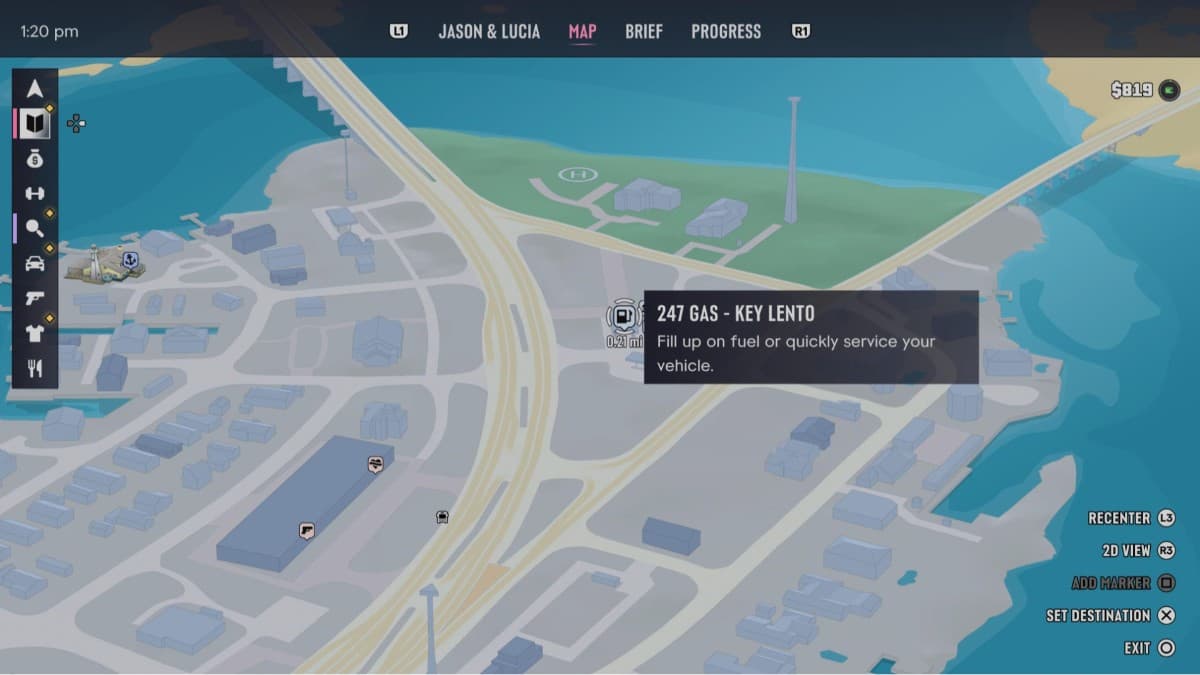
- House: safehouse.
- Pistol: Ammu-Nation store.
- Fuel pump: gas station. You can refuel there and fix minor damage.
How to hide the HUD and mini-map
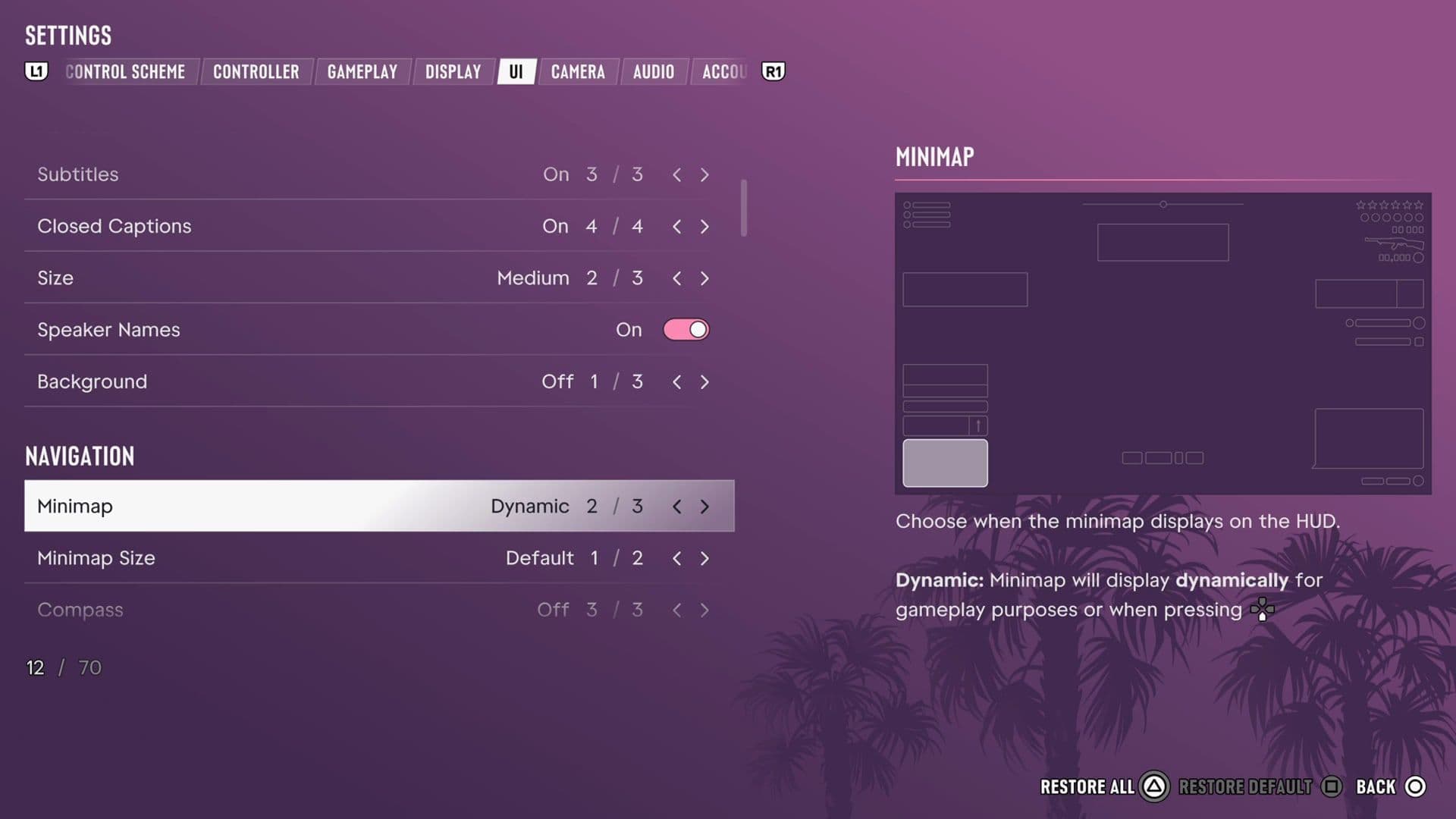
No single setting hides the whole interface, so you turn elements off one by one.
- Open the pause menu.
- Go to Settings and select the UI tab.
- Turn off whatever gets in your way.
These are the settings you'll find there.
- Minimap and Compass: On, Dynamic or Off. In Dynamic mode they appear when needed.
- Minimap Size: how big the mini-map is.
- GPS Route and GPS Turn Indicators: the route line and turn arrows.
- Player Vitals: character bars.
- Wanted Stars and Heat Indicators: stars and suspect descriptions.
- Money and Ammo: cash and ammunition.
- Vehicle Name & Status: vehicle name and condition.
- Criminal Profile and Relationship: profile and relationship icons.
- Threat Indicators and Help Text: threat markers and hints.
- Street Names: off by default.
For a clean screenshot, use Photo Studio, where the game's HUD stays out of the shot.
FAQ
No, elements are turned off one by one in the UI tab.
That's an advanced tracker. Don't stay in one place with that vehicle.
Turquoise, with a lightning bolt icon.