In GTA 6 on PS5 and Xbox, you should change the control scheme, aiming mode, sensitivity, camera, and HDR. There are three preset control schemes: Default, Classic, and Left-Handed. This article contains no spoilers.
Prerequisites
If your TV supports HDR, first calibrate it in your console's system settings, then in the Display section in the game.
Control Scheme
Default is the default option. Classic suits those familiar with GTA 5, Left-Handed swaps stick functions. Individual buttons, such as the map button on the gamepad, can be remapped.
Aiming
- In the Targeting option, keep Partial: it's the default. Lock-On suits casual play, Free Aim for those who need full control.
- Set aiming assist strength like this: Partial 4, Lock-On 3, Free Aim 0.
- Keep Drive-By Assist and Quick Draw enabled. For a realistic style, select Free Aim, set aiming assist to 0, disable Shooting Assist and Drive-By Assist, and keep Quick Draw enabled.
Sensitivity and Dead Zone
| Setting | Recommendations | Why |
|---|---|---|
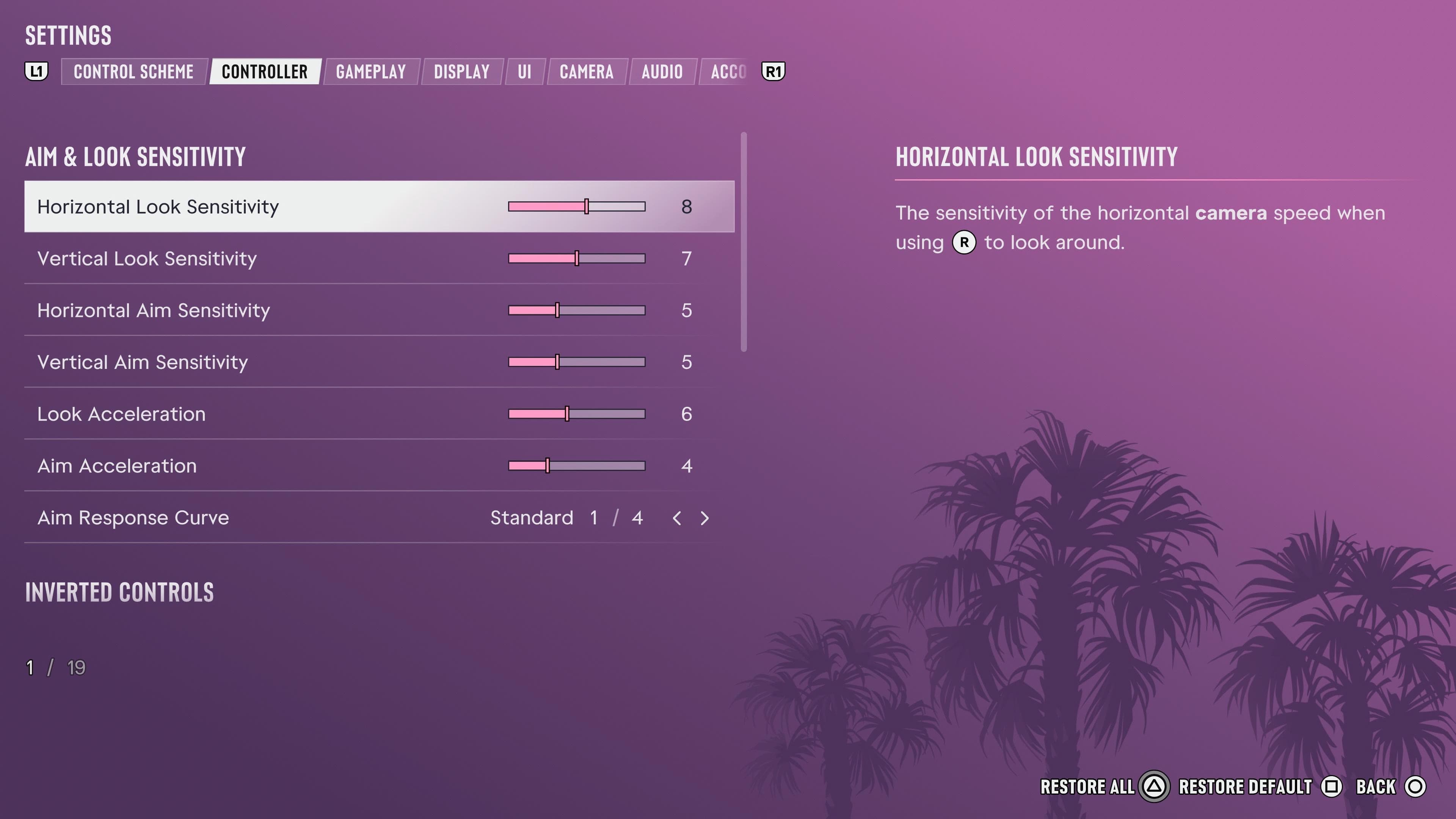
| Camera Sensitivity (Look Sensitivity) | 7–9 | Faster turns without excess sharpness |
| Stick Dead Zone | Default 4; set the minimum where the stick doesn't drift, usually 1–2 | Faster response |
| Vibration | Lower if your hands get tired | Less strain during long play sessions |
There's no universal setting for aiming sensitivity and stick acceleration speed yet: adjust them to your preference, starting with the values above.
Combat Assists and Movement
Enable Projectile Arc: it shows the trajectory of thrown objects. Keep Auto Drive on Restricted mode, and set Combat Movement Speed to Fast Walk.
Camera
Disable Camera Shake: the image is steadier and the crosshair stops wobbling. Set Camera Bob to minimum. Reduce or disable Motion Blur — it blurs the image whenever you turn the camera.
HDR
If your TV supports HDR, enable it. First calibrate HDR in the console's system settings, then in the Display section in the game.
Frequently Asked Questions
Start with 7–9 and adjust to your preference.
There is no general difficulty selection. There are separate accessibility settings that change combat and vehicle damage.